Buy DJI O4 Ground Station
DJI O4 Ground Station
£1,567.00 excl VAT
Robust Wide-Area Transmission System
Reach Farther, Stay Aware
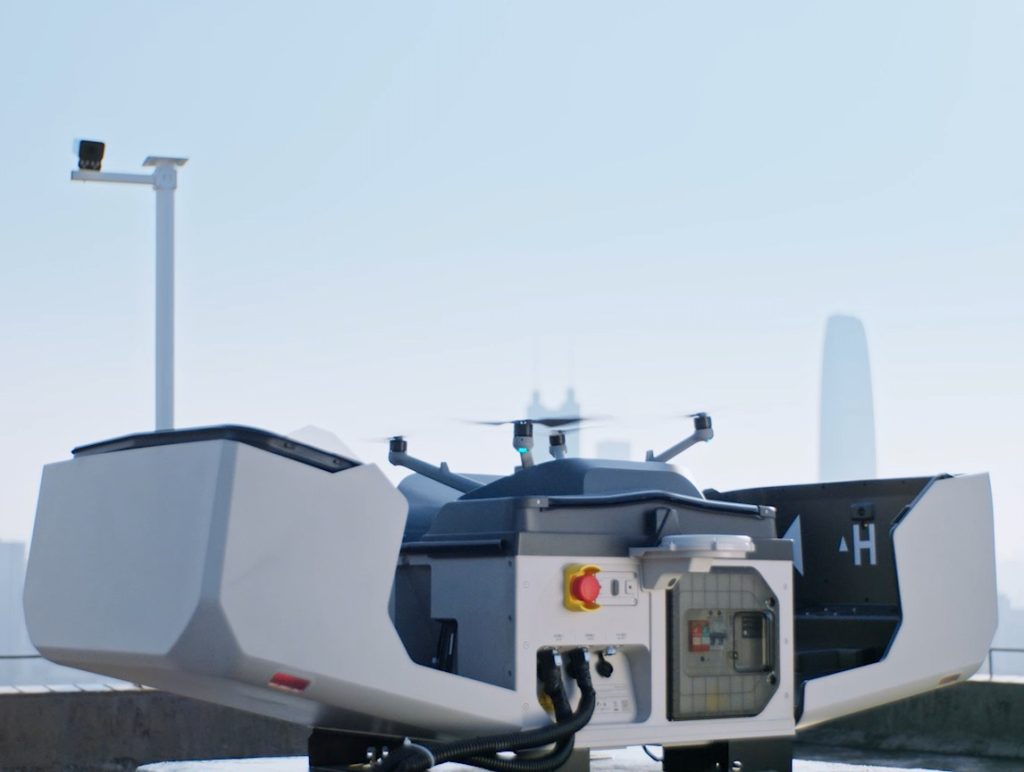
DJI O4 Ground Station extends drone connectivity up to 40 km with a 12-antenna array and automatic multi-band switching. Gateway Mode links directly to FlightHub 2 for real-time video and remote control, while Relay Mode keeps you connected in off-grid areas — built for 24/7 unattended operation in any environment.

Built to overcome signal limits
DJI O4 Ground Station features a 12-antenna array and automatic multi-band selection
The new Gateway Mode
Connects directly to FlightHub 2 to bypass deployment barriers
The Relay Mode
Supports offline reach
Maintenance-free by design, it drives 24/7 unattended operations.
DJI O4 Ground Station Features
Advanced Hardware, Robust Transmission
Durable Design, Smart Power
Gateway Mode*, Wide Coverage
Open Ecosystem, Flexible Integration
Relay Mode*, Offline Reach
Advanced Hardware, Robust Transmission
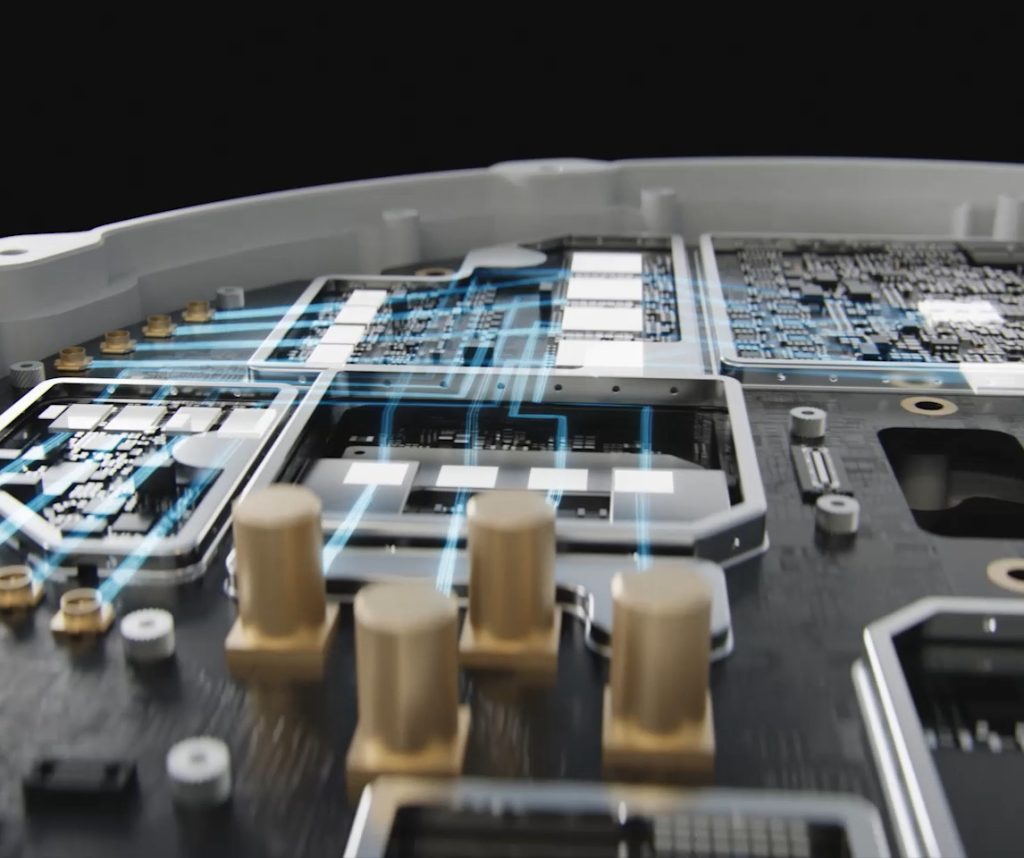
High-Performance RF Unit
The RF unit with high-output capabilities significantly boosts signal penetration and coverage, securing reliable links through dense urban obstructions. An optimized signal-to-noise ratio (SNR) further enhances receiver sensitivity, recovering usable signals even in complex electromagnetic environments.
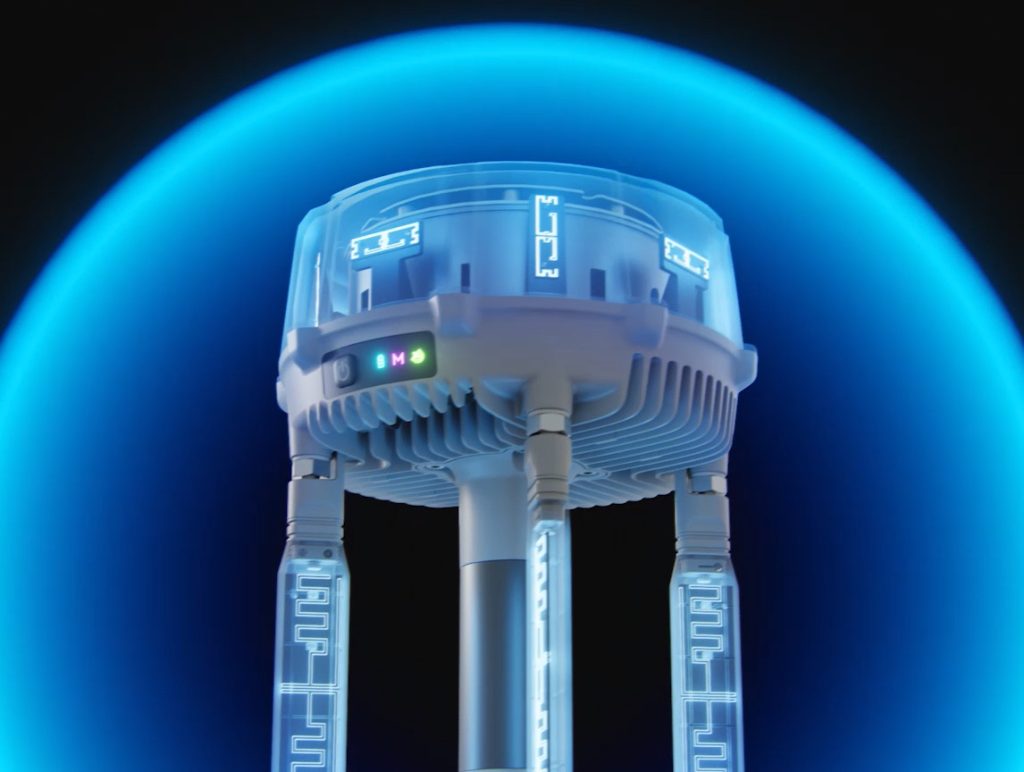
Omnidirectional High-Gain Antenna
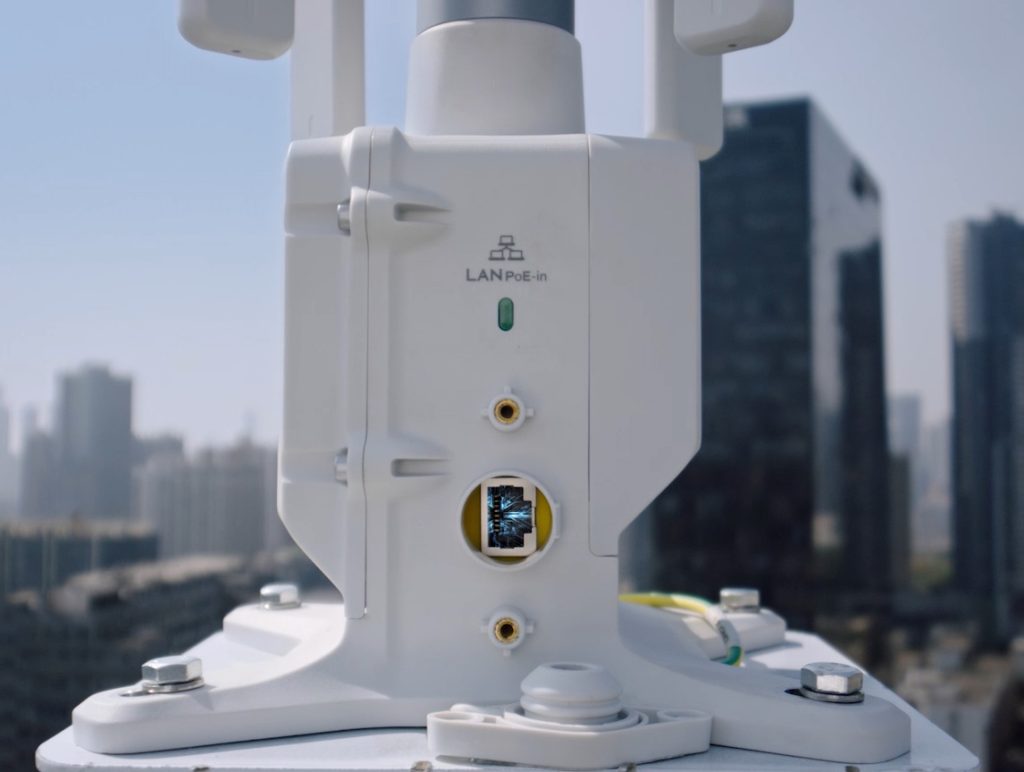
Using 12 internal and external antennas with horizontal and vertical polarization, O4 Ground Station delivers omnidirectional, high-gain coverage. It can continuously and stably capture signals regardless of the aircraft's position, helping maintain a seamless communication link for wide-area operations.
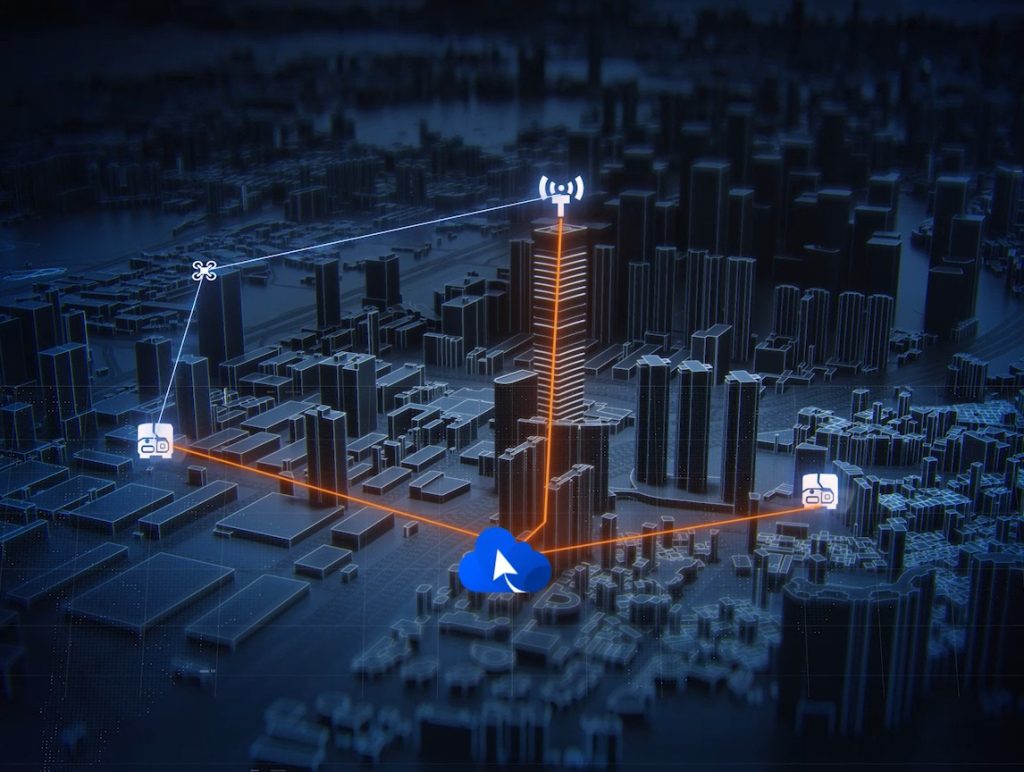
Automatic Multi-band Selection
To navigate congested urban RF environments, O4 Ground Station automatically shifts across sub2G, 2.4 GHz, 5.2 GHz, 5.8 GHz, and other bands to help bypass interference. This delivers a crisp, stutter-free video feed, and when paired with DJI Matrice 400, supports a transmission range of up to 40 km.
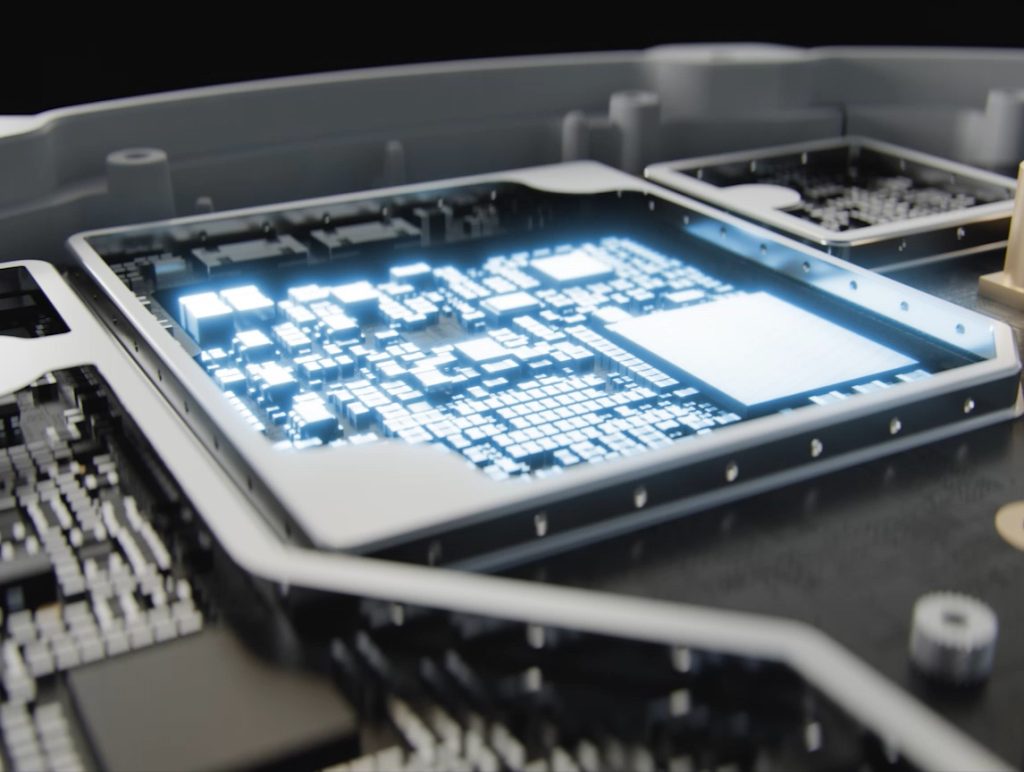
5-System, 19-Frequency GNSS
An integrated high-gain RTK module tracks 19 frequencies across five global satellite systems. Even in challenging, semi-obstructed environments like urban canyons or dense canopies, it rapidly acquires satellite signals. This provides continuous, centimeter-level positioning data, safeguarding flight operations.
Gateway Mode*, Wide Coverage
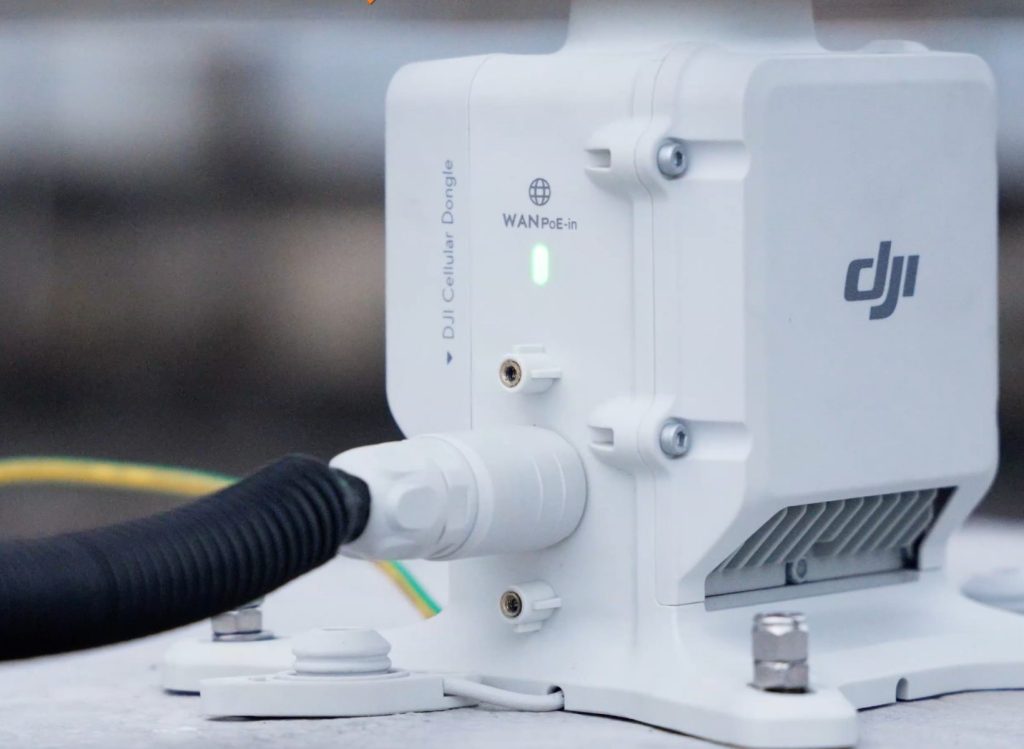
Direct Network Connectivity
In Gateway Mode, O4 Ground Station connects directly to DJI FlightHub 2 via Ethernet or the DJI Cellular Dongle 2, delivering low-latency, high-bandwidth video feeds. This frees the station from DJI Dock 3's proximity constraints, allowing it to extend coverage up to 30 km.
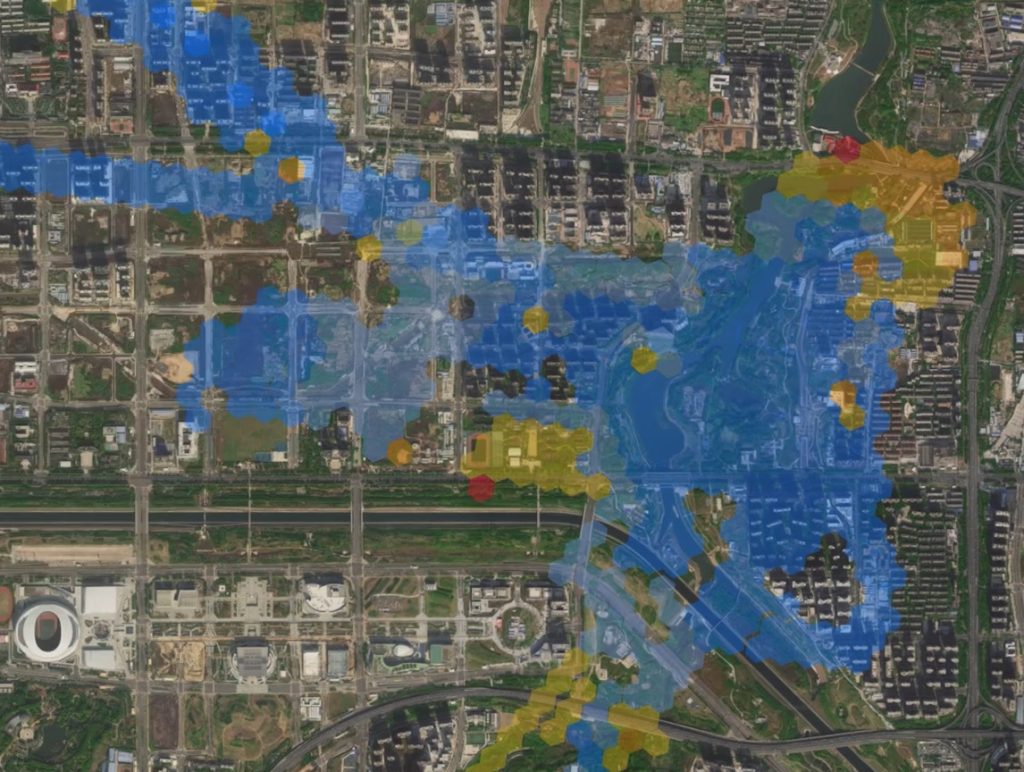
Signal Map for Precise Deployment
After a flight, FlightHub 2 utilizes flight data to generate a Signal Map that visually highlights weak coverage zones. This helps operators position ground stations more precisely and reinforce communication links, enhancing overall flight safety.

Virtual Cockpit for Agile Control
In Gateway Mode, operators can use the FlightHub 2 Virtual Cockpit to remotely control the aircraft. Within the ground station's coverage area, pilots can manually override preset routes, enabling a flexible and fast response to multi-point task requirements.
Supported Models: DJI Dock 3
Relay Mode, Offline Reach
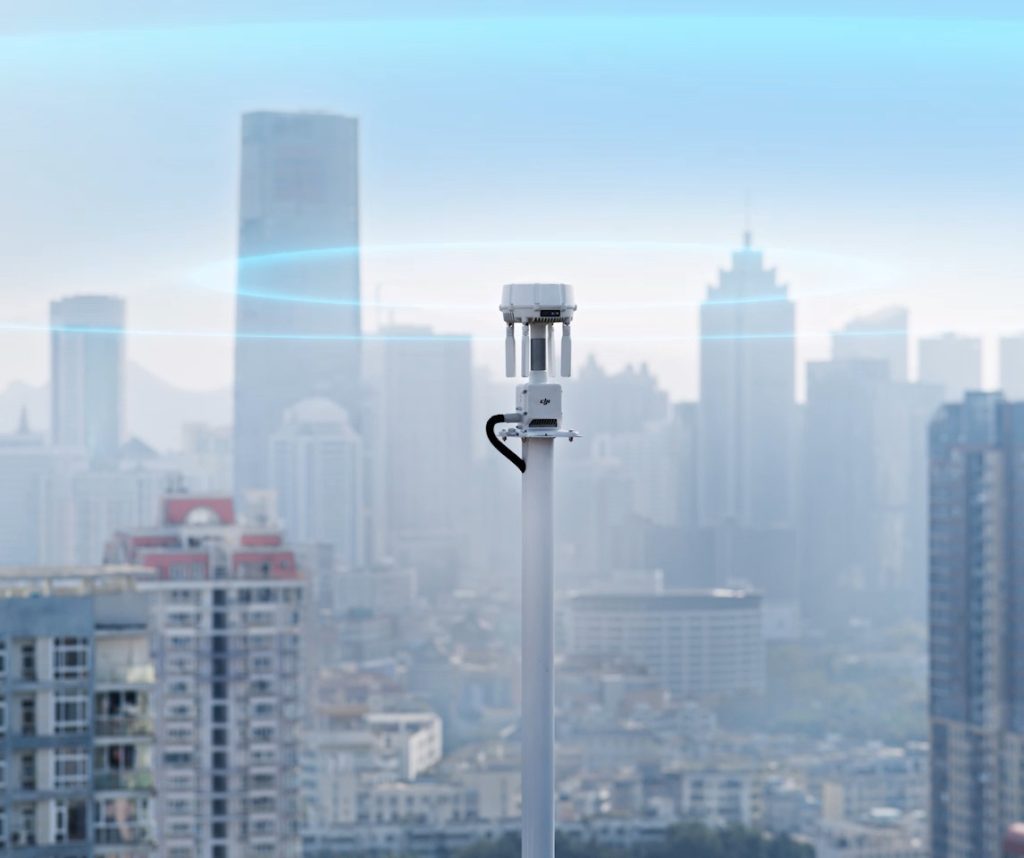
High-Point Setup to Clear Obstructions
O4 Ground Station inherits the functions of the D-RTK 3 Relay Fixed Deployment Version. In offline areas such as valleys or urban environments with severe signal obstruction, operators can switch to Relay Mode and position the station at a high point to extend aircraft video transmission range.
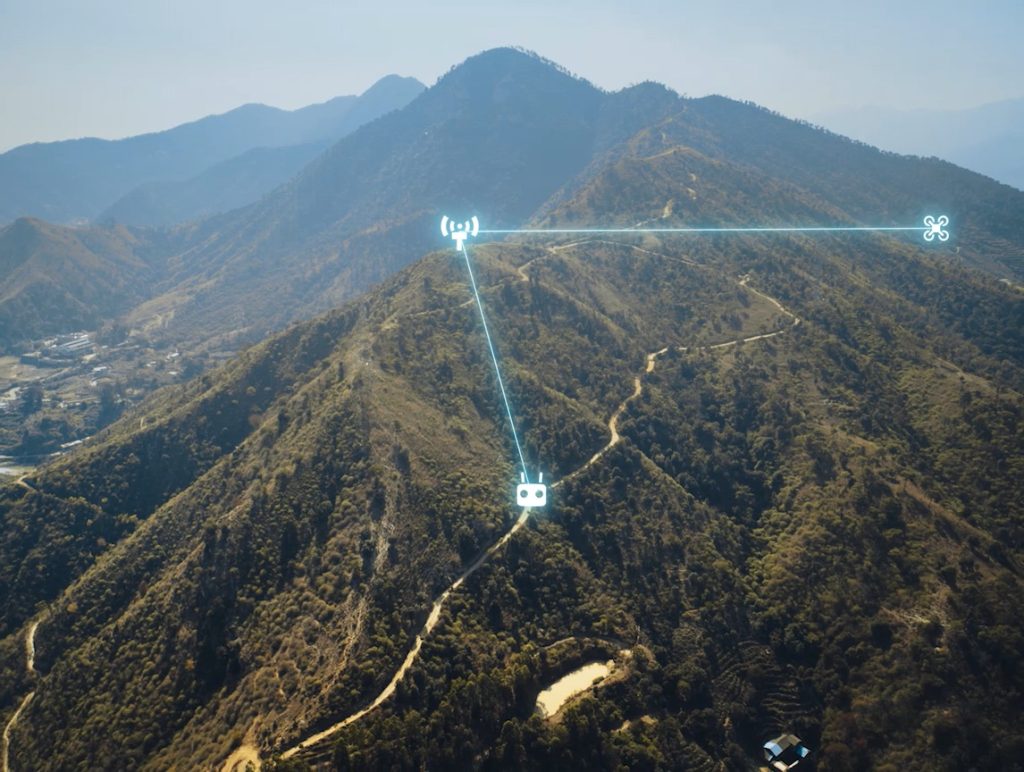
Multi-Device Rotation for Higher Utilization
Remote controllers or DJI Docks within signal range can remotely scan and connect to O4 Ground Station. This enables fast turnarounds, as a single station can service different aircraft sequentially and improve overall hardware utilization.
Supported Models: DJI Dock 3, DJI Matrice 400, DJI Matrice 4E, DJI Matrice 4T, DJI Matrice 4D/4TD (DJI RC Plus 2 Enterprise), DJI FlyCart 100
* This feature is unavailable in countries or regions without 5GHz frequency support, such as Japan and Kazakhstan. Check local laws and regulations for more information.
Durable Design, Smart Power
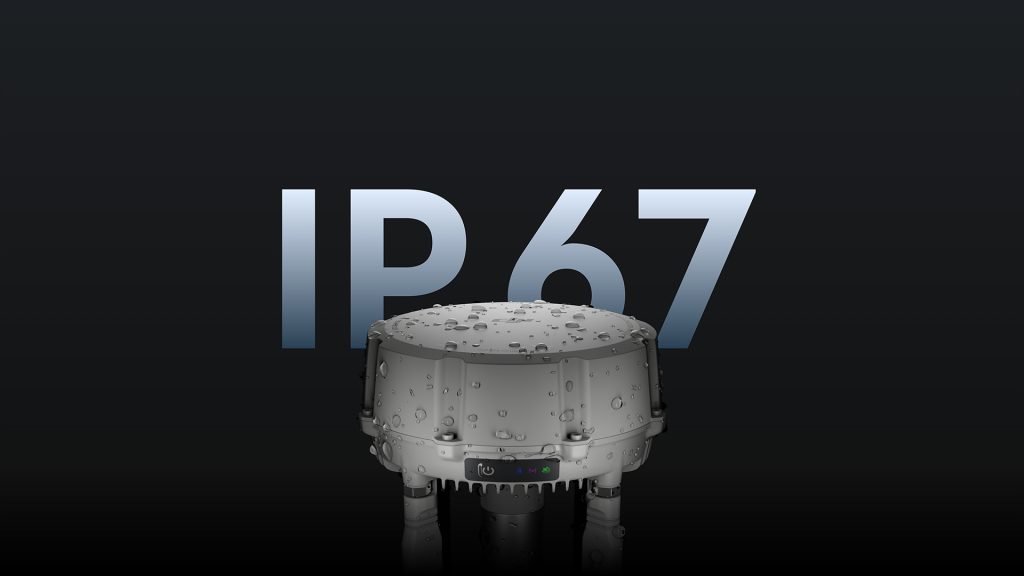
All-Weather Reliability
An IP67 rating protects against water and dust, while O4 Ground Station operates reliably in temperatures from -40° to 55° C (-40° to 131° F). This robust build supports continuous, unattended operations across harsh outdoor climates.
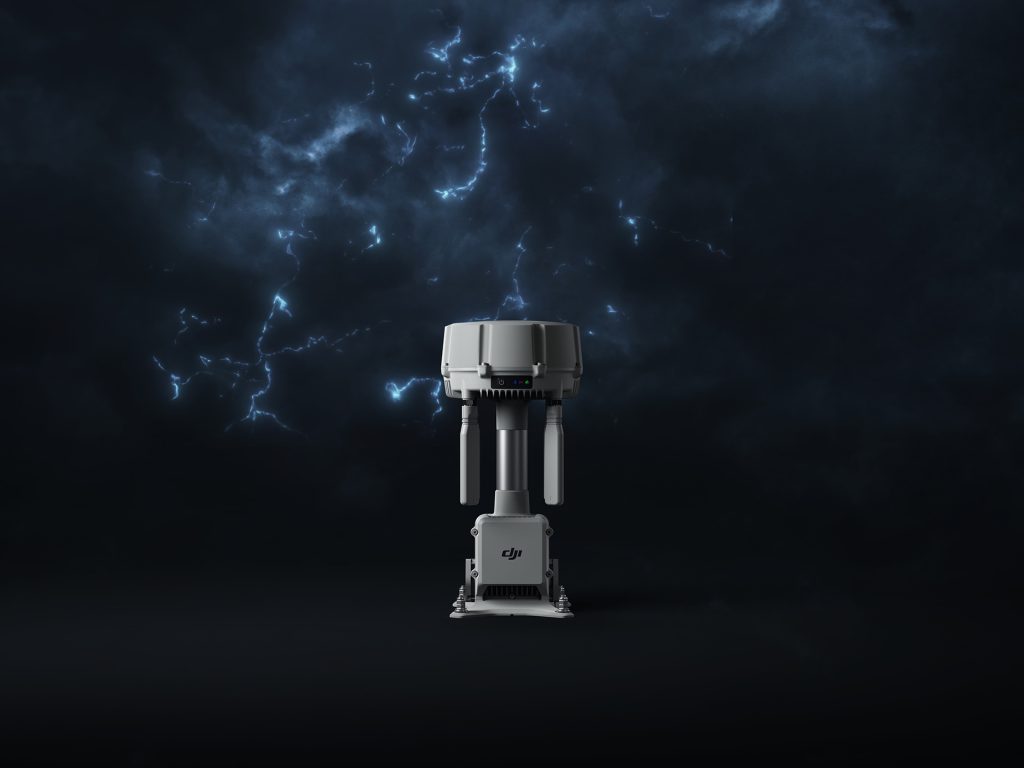
Lightning Protection
Proprietary lightning protection components and a grounding design meet the EN/IEC 61643-21 Category C standard. This helps mitigate the risk of lightning damage when deploying the station at elevated outdoor locations such as mountains or transmission towers.
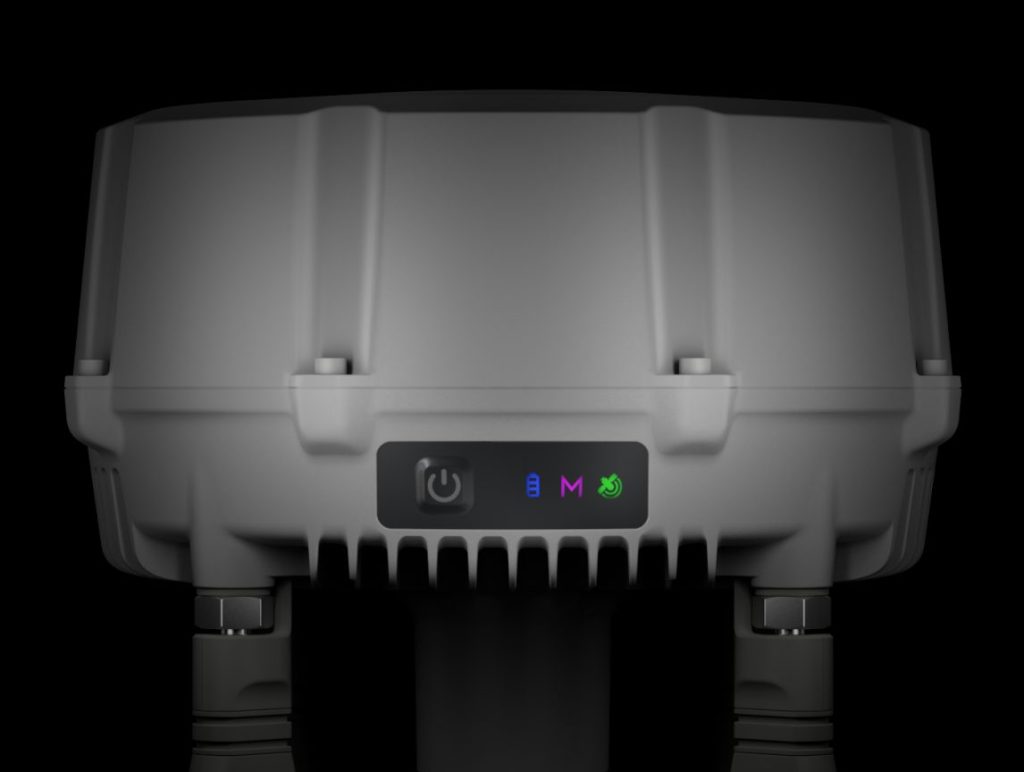
Maintenance-Free Design
Fanless passive cooling and a self-recovery mechanism allow the station to automatically resume operation after power outages or software anomalies. This maintenance-free design reduces the need for manual on-site reboots and helps cut troubleshooting trips and operational costs.
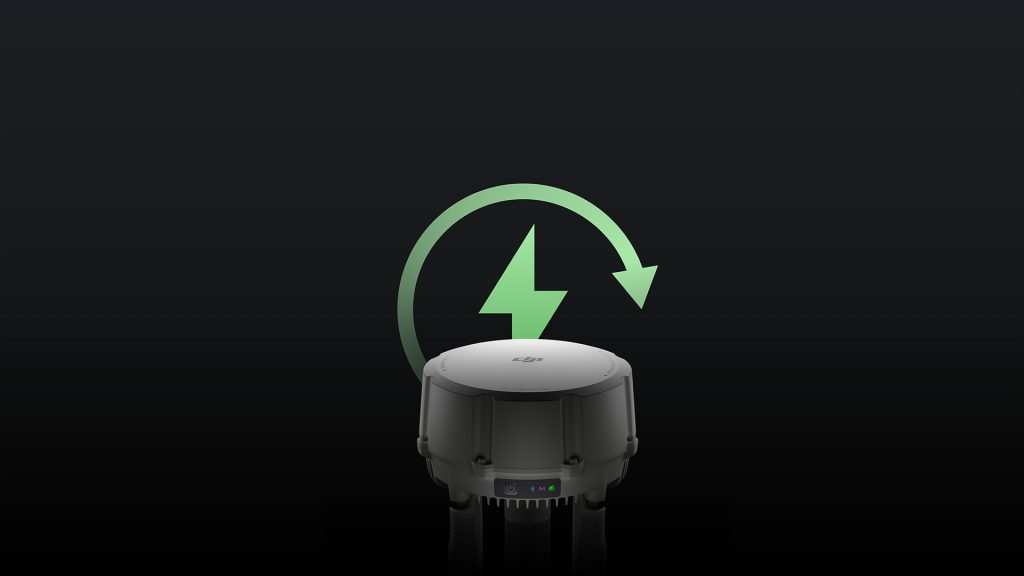
Smart Low-Power Mode
In Gateway Mode, O4 Ground Station features smart power management. It automatically hibernates when no aircraft is connected, drawing only 7 W on standby. For off-grid environments, the station connects to DJI Power solar solutions or third-party photovoltaic systems, supporting long-term operations in remote areas.
Open Ecosystem, Flexible Integration
Unified Visual Management
O4 Ground Station integrates up to four standard IP cameras. Using ONVIF and GB/T 28181 protocols, it streams live video directly to DJI FlightHub 2 and synchronizes native camera alerts, such as displacement detection. FlightHub 2 also enables remote PTZ control (Pan/Tilt/Zoom) of connected cameras, giving operators a centralized, comprehensive view of the operational area.
Open ESDK
The new MQTT-based ESDK 2.0 and Cloud API streamline integration, empowering developers to build custom, industry-specific solutions. Via the MQTT protocol, the station can connect to third-party Remote ID or ADS-B receivers. This delivers real-time awareness of nearby unmanned and manned aircraft, proactively safeguarding the airspace around DJI Dock 3.

DJI Care Enterprise
- Comprehensive Protection
- Professional Quality Assurance
- Exclusive Service
- Renewable up to the 3rd Year
DJI Care Enterprise Plus
Provides comprehensive protection with a worry-free plan that requires no additional fees.
- Free Repairs - Unlimited number of free repairs within the coverage limit.
- Coverage for Your Whole Fleet - Shared limit for maximum protection
- Free Shipping - Free Mail-in Repairs, Hassle-Free Service
- Expert Service - Rapid response from DJI product experts
Extend the Reach of Dock 3 Operations
For more information about product demo or trial, leave your contact information in the form below. You can also reach out to your local dealer for more information.
Please observe local laws and regulations when performing relay flights.
1Sub2G band support and multi-band auto-switching are only available when using DJI O4 Ground Station with Matrice 400. Not available in certain countries or regions — check local laws for more information.
2Gateway Mode is compatible with DJI Dock 3.
3In Gateway Mode, DJI O4 Ground Station connects via Ethernet or the DJI Cellular Dongle 2 to FlightHub 2 (public cloud, On-Premises, AIO) and third-party systems via Cloud API or FlightHub Sync.
4Relay Mode is compatible with DJI Dock 3, Matrice 400, 4E, 4T, 4D/4TD (RC Plus 2 Enterprise), and FlyCart 100. Unavailable in regions without 5 GHz support, such as Japan and Kazakhstan.
5Measured outdoors in an open environment without interference. 40 km range applies to Matrice 400 under IC compliance only; 30 km for other models. Data reflects one-way, non-return flights. Always follow in-app reminders.
6Sold separately. 4G Enhanced Transmission is not available in all countries and regions. Please consult your local dealer for details.
7O4 Ground Station offers greater single-station coverage versus D-RTK 3 in Relay Station mode. 30 km is achievable under IC compliance for specified aircraft in Gateway/Relay Mode. One-way flights — always follow in-app reminders.
8This feature is only available when DJI O4 Ground Station is operating in Gateway Mode.
9DJI Dock 3, the aircraft, and the remote controller must all be on firmware version V13.01.00.04 or later and linked via Remote Access.
10This feature is only available when DJI O4 Ground Station is operating in Relay Mode.
11Please follow IP67 protection rating instructions. Measured in a controlled environment. The IP rating is not permanently effective and may decrease due to product wear and tear.
12When operating in environments from −40° to −20°C (−40° to −4°F), the station requires a PoE++ power supply of 60 W or above.
13RJ45 surge protection: 1.5 kA (8/20 μs waveform), Category C per EN/IEC 61643-21. Effectiveness depends on grounding quality — ensure proper installation to minimise surge risk.
147 W refers to the power consumption of DJI O4 Ground Station only. When powered via PoE++, total power draw — including the power supply — will be higher.
15DJI Power solar solutions and third-party photovoltaic systems are sold separately.
16DJI Care Enterprise Plus: unlimited free repairs within coverage scope; shared coverage across fleet within 30 days of first activation; free shipping in eligible regions. Additional logistics and customs costs are the user's responsibility.
Technical Specifications
| Item Title | Spec Key | Spec Value | Description |
|---|---|---|---|
| GNSS Receiver | GNSS Frequency | GPS: L1C/A, L2C, L5 BDS: B1I, B2I, B3I, B1C, B2a, B2b GALILEO: E1, E5a, E5b, E6 GLONASS: L1, L2 QZSS: L1C/A, L2C, L5 L-Band | |
| System Accuracy* | Single Point Accuracy (Uncalibrated): Horizontal: 1.5 m (RMS) Vertical: 3.0 m (RMS) Satellite-Based Differential Accuracy: Convergence Time: 20 min Horizontal: 30 cm (RMS) Vertical: 40 cm (RMS) Network RTK Calibration**: Horizontal: 1.0 cm (RMS) + 1 ppm Vertical: 3.0 cm (RMS) + 1 ppm | * Measurement accuracy depends on various factors. This value is obtained under normal conditions
with an unobstructed view, good satellite distribution, low ionospheric activity, and no
electromagnetic interference or multipath effects. ** Base station calibration coordinate accuracy depends on various factors. For surveying, high-precision flight paths, etc., it is recommended to calibrate during periods of low ionospheric activity, in open, unobstructed environments with no electromagnetic interference or multipath effects, using a Network RTK mountpoint supporting four or more satellite systems. | |
| Video Transmission | Video Transmission System | DJI O4 Enterprise Enhanced Video Transmission System | |
| Operating Frequency and Transmitter Power (EIRP) | 902 MHz to 928 MHz: < 30 dBm (IC), < 16 dBm (MIC) 1.430 GHz to 1.444 GHz: < 35 dBm (SRRC) 2.400 GHz to 2.4835 GHz: < 33 dBm (IC), < 20 dBm (CE/SRRC/MIC) 5.150 GHz to 5.250 GHz: < 23 dBm (IC/CE) 5.725 GHz to 5.850 GHz: < 33 dBm (IC), < 14 dBm (CE), < 30 dBm (SRRC) | Operating frequency allowed varies among countries and regions. Refer to local laws and regulations for more information. | |
| Max Transmission Distance* (unobstructed, free of interference) | IC 1. Between Matrice 400** and O4 Ground Station: 40 km 2. Between other aircraft*** and O4 Ground Station: 30 km 3. Between the remote controller/DJI Dock 3 and O4 Ground Station (Relay Mode)****: Recommended within 1 km; maximum 3 km (unobstructed, free of interference) SRRC 1. Between Matrice 400** and O4 Ground Station: 25 km 2. Between other aircraft*** and O4 Ground Station: 18 km 3. Between the remote controller/DJI Dock 3 and O4 Ground Station (Relay Mode)****: Recommended within 1 km; maximum 3 km (unobstructed, free of interference) CE 1. Between Matrice 400** and O4 Ground Station: 25 km 2. Between other aircraft*** and O4 Ground Station: 18 km 3. Between the remote controller/DJI Dock 3 and O4 Ground Station (Relay Mode)****: Recommended within 300 m; maximum 1 km (unobstructed, free of interference) | * Measured in an unobstructed outdoor environment free of interference. The above data shows the
farthest communication range for one-way, non-return flights under each standard. Always pay
attention to RTH reminders in the app during your flight. ** DJI Matrice 400 is only supported in Relay Mode on DJI O4 Ground Station. *** ""Other aircraft"" refers to Matrice 4D/4TD (with Dock 3) under Gateway Mode; and refers to Matrice 4E, Matrice 4T, Matrice 4D/4TD (with Dock 3), Matrice 4D/4TD (with Dock 3, DJI RC Plus 2 Enterprise), and Flycart 100 under Relay Mode. **** DJI O4 Ground Station should be placed in an elevated, unobstructed location to ensure clear communication between the remote controller/Dock 3 and the aircraft. | |
| Max Transmission Distance (unobstructed, with interference) | Strong Interference (Dense Buildings, Residential Areas, etc.): approx. 1.8 to 6 km Medium Interference (Suburban Areas, City Parks, etc.): approx. 6 to 18 km Weak Interference (Open Spaces, Remote Areas, etc.): approx. 18 to 40 km | Data is tested with Matrice 400 under IC standards in unobstructed environments of typical interference. Only to serve as a reference and provides no guarantee as to the actual flight distance. | |
| Max Transmission Distance (obstructed, with interference) | Low Interference and Obstructed by Buildings: approx. 0 to 0.5 km Low Interference and Obstructed by Trees: approx. 0.5 to 3 km | Data is tested with Matrice 400 under IC standards in obstructed environments of typical interference. Only to serve as a reference and provides no guarantee as to the actual flight distance. | |
| Antenna | OcuSync 4 Pro external directional antenna × 4 OcuSync 4 Pro internal directional antenna × 8 2.4G/5.2G/5.8G: 2T4R Sub2G: 2T2R | The antenna uses a standard reverse polarity SMA connector. | |
| Network Access | Ethernet Access: Adaptive Ethernet port; requires ≥ 100Mbps bandwidth and ≤ 100ms latency* 4G Access: Requires the DJI Cellular Dongle 2** | * If these requirements are not met, the device may go offline or experience video stuttering. ** Sold separately. This service is not available in some countries and regions. Please consult your local dealer for details. | |
| Electrical Properties | Power Interface | "Ethernet Port (PoE) WAN: PoE-in LAN: PoE-in" | |
| Ethernet Cable Requirements | Cat 6 or above outdoor-rated, waterproof twisted-pair cable; max length 100 m; outer diameter 5.5 to 6.5 mm | ||
| Power Consumption* |
Gateway Mode:
|
* Measured in a controlled test environment and should be used for reference only. Actual power
draw may be higher when accounting for losses in the power supply. ** Low-power mode is not recommended for use at temperatures of -40° to -20° C (-40° to -4° F). | |
| Supported Power Supply |
1. DJI Dock 3 PoE Output Port 2. Third-party PoE Power Supplies: IEEE 802.3bt Type 4 (PoE++): 52 V to 57 V output, max 99.9 W per port; operating range -40° to 55° C (-40° to 131° F) IEEE 802.3bt Type 3 (PoE++): 50 V to 57 V output, max 60 W per port; operating range -30° to 55° C (-22° to 131° F) IEEE 802.3at Type 2 (PoE+): 50 V to 57 V output, max 30 W per port; operating range -20° to 55° C (-4° to 131° F) | Non-standard PoE or Type 1 power supplies are not supported; the device will show a solid red
indicator light if an unsupported supply is connected. Type 2 supports Gateway Mode only. | |
| Backup Battery |
LiPo Capacity: 3250 mAh Energy: 23.4 Wh | ||
| Backup Battery Operating Time (at room temperature) |
Battery preservation mode: when powered via PoE, the system keeps battery voltage between 7.0 V and
7.4 V. If the battery voltage at insertion exceeds 7.5 V, the system will discharge it to the safe
threshold before entering preservation mode; the battery will not charge to full capacity. Battery discharge performance may decrease in low temperatures, reducing actual operating time. | ||
| Backup Battery Charging |
Supports 9V or 12V PD charging. DJI 65W Portable Charger is recommended before deployment. When
fully charged, estimated runtime in Gateway Mode is approx. 2 hours. Charge time (65W PD): approx. 2.5 hours |
Charging with a 5V charger is only supported when the device is powered off. Charging is only supported when the battery cell temperature is between 0° and 55° C (32° and 131° F). | |
| Tested PoE Power Supplies | Visit the Downloads page for the full compatibility list. | ||
| Physical Characteristics | Ethernet Port Surge Protection | WAN/LAN Ports: Ethernet interface supports up to 10kA (total discharge current) surge protection, meeting EN/IEC 61643-21 Category C. | RJ45 surge protection capacity is 1.5kA (8/20μs waveform), meeting the Category C protection level of EN/IEC 61643-21. Surge protection capability depends on the capacity and reliability of grounding. To minimize the risk of surges, please make sure that grounding is done properly during installation. |
| Operating Temperature | IEEE 802.3bt Type 4 (PoE++): -40° to 55° C (-40° to 131° F) IEEE 802.3bt Type 3 (PoE++): -30° to 55° C (-22° to 131° F) IEEE 802.3at Type 2 (PoE+): -20° to 55° C (-4° to 131° F) | The 55° C (131° F) upper limit accounts for solar radiation. At -40° C (-40° F), the device requires
a windless environment; auto-restart after shutdown is not supported in windy conditions.
Cold-weather heating startup requires IEEE 802.3bt Type 3 (PoE++) or above. After storage or operation in extreme temperatures, allow the internal backup battery to return to between 0° and 45° C (32° and 113° F) before charging. | |
| PoE Auto Wake-Up | When connected to a Type 2 or higher PoE power supply, the device supports automatic wake-up on cable insertion or power restoration. | ||
| Cold-Weather Heating Startup | In environments from -40° to -20° C (-40° to -4° F), the device can start up via cold-weather heating mode when powered by a PoE supply of 60 W or above. | Requires PoE supply of IEEE 802.3bt Type 3 (PoE++) or above. | |
| Altitude | 6000 m | ||
| Ingress Protection Rating | IP67 | Please follow the requirements stated in the IP67 protection rating instructions. Measured in a
controlled environment. The IP rating is not permanently effective and may decrease due to product
wear and tear. When connecting an Ethernet cable, use the included cable connector (corrugated tubing and corrugated tubing plug). The cable must be Cat 6 or above outdoor-rated, waterproof twisted-pair cable with an outer diameter of 5.5 to 6.5 mm. Ensure all rubber port covers and the DJI Cellular Dongle 2 heat sink are properly installed. Unused WAN/LAN port screws must be fully tightened. | |
| Impact Protection Rating | IK07 | ||
| Dimensions | 170×170×352 mm (L×W×H) | ||
| Weight | 2.68 kg | ||
| Mounting | "Expansion Bolt Mounting: φ6×70 mm M6 Screw Mounting: 60 mm hole center spacing" | ||
| Supported Software | Applications | DJI Enterprise app (used with Android phones for deployment and commissioning) | |
| Cloud Platform | FlightHub 2 FlightHub 2 On-Premises Version FlightHub 2 FlightHub Sync DJI Cloud API | ||
| External Device Support | Supports cameras using ONVIF and GB/T 28181 protocols Supports up to 4 simultaneous 1080p H.264 video streams | ||
| Open Ecosystem | ESDK 2.0 |
FAQs
1. Connecting IP cameras that support the ONVIF or GB/T 28181 protocol.
2. Connecting third-party devices developed based on the ESDK 2.0.
3. Receiving power input from a PoE+ (or higher) power supply.
1. Connecting a network switch for internet access.
2. Receiving power input from a PoE+ (or higher) power supply.
Yes.
1. DJI O4 Ground Station has a built-in backup battery. In the event of a power outage, the station can continue operating for approximately 45 minutes in Gateway Mode and 30 minutes in Relay Mode.
2. Once PoE power is restored, the device will wake up and restart automatically*.
Three methods are supported:
1. Press the power button three times consecutively.
2. Connect the station to an Android phone using a USB-C to USB-C cable, and switch modes via the DJI Enterprise app.
3. Connect the station to a PC and switch modes using DJI Assistant 2 (Enterprise Series).
No.
GPS: L1C/A, L2C, L5
BDS: B1I, B2I, B3I, B1C, B2a, B2b
GALILEO: E1, E5a, E5b, E6
GLONASS: L1, L2
QZSS: L1C/A, L2C, L5
L-Band
1. DJI Dock 3 PoE Output Port
2. Third-party PoE Power Supplies:
IEEE 802.3bt Type 4 (PoE++): 52 V to 57 V output, max 99.9 W per port; operating range -40° to 55° C (-40° to 131° F)
IEEE 802.3bt Type 3 (PoE++): 50 V to 57 V output, max 60 W per port; operating range -30° to 55° C (-22° to 131° F)
IEEE 802.3at Type 2 (PoE+): 50 V to 57 V output, max 30 W per port; operating range -20° to 55° C (-4° to 131° F)
1. Gateway Mode:
Enable the Signal Map feature in DJI FlightHub 2. After a flight, the Signal Map visually highlights weak coverage zones within the operating area, which can be used as a reference for selecting deployment locations.
2. Relay Mode:
You can use the Matrice 4D Series aircraft and the remote controller to conduct site evaluation and selection at the intended relay deployment location based on the DJI Pilot 2 app instructions, and deploy the relay station according to the site selection results.
Deployment and commissioning are performed using the DJI Enterprise app (requires an Android phone). Once deployed, operational validation can be conducted on DJI FlightHub 2 or other supported cloud platforms*.
The external directional antenna supports sub2G, 2.4 GHz, 5.2 GHz, 5.8 GHz, and other frequency bands*.
The antenna uses a standard reverse polarity SMA connector. If a third-party antenna is required, it must be connected using a compatible standard SMA connector.
Use a 13mm open-ended wrench for installing and removing the antennas. It is recommended to tighten it with a torque of 15 kgf·cm (1.4 N·m).
1. When connecting an Ethernet cable, use the included cable connector (corrugated tubing and corrugated tubing plug).
2. The cable must be Cat 6 or above outdoor-rated, waterproof twisted-pair cable with an outer diameter of 5.5 to 6.5 mm.
3. Ensure all rubber port covers and the DJI Cellular Dongle 2 heat sink are properly installed.
4. Unused WAN/LAN port screws must be fully tightened.
1. Gateway Mode:
Replacing DJI Dock 3 and its paired aircraft does not require re-linking.
2. Relay Mode:
Replacing the aircraft does not require re-linking with DJI O4 Ground Station. The aircraft will automatically re-link to the ground station once linked with the dock.
Replacing the dock requires re-linking DJI O4 Ground Station with the new dock. This can also be done via Remote Access by scanning for nearby DJI O4 Ground Stations*, instead of using the pairing button.
1. Operating Modes:
The D-RTK 3 Relay Fixed Deployment Version only supports relay station mode and is mainly used for fixed deployment of DJI Dock 3. DJI O4 Ground Station supports both Gateway Mode and Relay Mode and is compatible with DJI Dock 3 and multiple aircraft models*.
2. Video Transmission Frequencies:
D-RTK 3 Relay Fixed Deployment Version supports 2.4 GHz, 5.2 GHz, and 5.8 GHz. DJI O4 Ground Station adds sub2G band support**.
3. Additional Features:
DJI O4 Ground Station supports a smart low-power mode. When no aircraft is connected, standby power consumption is as low as 7 W***. It also supports connectivity with standard IP cameras (ONVIF and GB/T 28181 protocols) and third-party devices developed based on the ESDK 2.0.
1. Gateway Mode: DJI Dock 3.
2. Relay Mode*: DJI Dock 3, Matrice 400, Matrice 4E, Matrice 4T, Matrice 4D/4TD (DJI RC Plus 2 Enterprise), and FlyCart 100.
Connect DJI O4 Ground Station to an Android phone using the included USB-C cable, then open the DJI Enterprise app to complete activation.
Yes. In both Gateway Mode and Relay Mode, after position calibration, the ground station can provide RTK reference data to connected aircraft.
1. Between Matrice 400* and O4 Ground Station: 40 km**
2. Between other aircraft*** and O4 Ground Station: 30 km**
3. Between the remote controller/DJI Dock 3 and O4 Ground Station (Relay Mode)****: Recommended within 1 km; maximum 3 km (unobstructed, free of interference)
1. Gateway Mode:
DJI O4 Ground Station connects to DJI FlightHub 2* via Ethernet or the DJI Cellular Dongle 2**. Aircraft operating with DJI Dock 3 can use the ground station as a relay for extended-range video transmission.
2. Relay Mode***:
No internet connection required. DJI O4 Ground Station can be positioned at an elevated location to serve as a communication relay for aircraft, working in conjunction with a remote controller or dock to overcome signal obstructions.
1. Gateway Mode:
Deployment distance is flexible. The ground station can be deployed in areas with weak signal coverage within the operating zone to extend transmission range.
2. Relay Mode:
It is recommended to deploy the ground station within 1 km of DJI Dock 3, with no obstructions or interference between the dock and the ground station.
1. Relay Mode:
Only one aircraft can be connected at a time. Compatible remote controllers or docks* within a 1 km radius can connect via Remote Access, enabling multiple devices to share a single ground station sequentially.
2. Gateway Mode:
Only one aircraft can be connected at a time. DJI Dock 3 units and their aircraft within the same organization can connect to the ground station at different times, enabling sequential multi-device operation.
1. Check IP configuration:
If the camera and the WAN port of DJI O4 Ground Station are connected to the same switch, enable DHCP on the camera.
If the camera is connected to the LAN port of DJI O4 Ground Station, assign the camera a static IP in the 192.168.50.X subnet (avoid addresses such as 192.168.50.10/24).
2. Confirm that the camera supports the ONVIF protocol and that ONVIF has been enabled in the camera's configuration tool.
3. If ONVIF is enabled but the camera still cannot be discovered, use a third-party tool such as ONVIF Device Manager on a PC to verify whether the camera is discoverable on the network.
4. If the camera icon appears in DJI FlightHub 2 but the video stream fails to load, enter the camera's administrator credentials (username and password) to complete authentication.
1. Only H.264 video streams are supported, supporting up to 4 simultaneous live streams.
2. If the camera supports PTZ control (Pan/Tilt/Zoom), PTZ control is available from the live stream page in DJI FlightHub 2 once the camera is connected.
3. If the camera supports motion detection or occlusion alerts, enable alert notifications in the camera configuration interface. Alerts will be pushed through DJI FlightHub 2.
1. ONVIF cameras and the WAN port of DJI O4 Ground Station should each be connected to the same network switch.
2. DJI O4 Ground Station does not provide power to downstream devices. IP cameras must be powered via an external PoE switch or a dedicated DC power adapter.
1. ONVIF cameras: H.264 encoding is required. With DHCP enabled, the camera can connect via the WAN port.
2. GB/T 28181 cameras: H.264 encoding is required. The camera must be on the same subnet as the WAN port of DJI O4 Ground Station. Automatic IP assignment on the ground station must be disabled and a static IP must be configured.
3. For a list of tested camera models and deployment instructions, visit the Downloads page on the DJI website.
No. Relay Mode does not support internet connectivity. Switch to Gateway Mode to connect IP cameras.
Visit the official DJI Enterprise website, go to Ecosystem in the top navigation bar, and click Ecosystem Solution Catalogue to explore compatible third-party products. For purchasing details, refer to the specific product pages or the respective partner channels.
Please note: The Catalogue is intended as an index of third-party products and solutions to provide use-case information to interested parties. It shall not be considered an endorsement or sponsorship by DJI of any third-party solution, product, or service.
A Gigabit PoE switch is recommended to simultaneously provide network access and PoE power to DJI O4 Ground Station. Ensure the PoE power class meets the requirements for the operating temperature range. Refer to the Specs page for details.
A minimum bandwidth of 100 Mbps is recommended. If IP cameras are also being deployed, a dedicated network is recommended to reduce latency.
1. There is no distance restriction between DJI O4 Ground Station and DJI Dock 3.
2. The maximum deployment distance between DJI O4 Ground Station and the network switch is 100 m.
Before the aircraft takes off, selecting DJI O4 Ground Station as the communication relay requires the system to pre-load linking data. This adds approximately 10 seconds to the pre-flight preparation process.
1. Verify that the PoE power supply type meets the requirements. Non-standard PoE or Type 1 supplies cannot power DJI O4 Ground Station. Operation in environments from -40° to 55° C (-40° to 131° F) requires a Type 4 (PoE++) supply with sufficient per-port power output.
2. Confirm that the ground station is in Gateway Mode (Mode Indicator light: purple). Relay Mode (Mode Indicator light: blue) does not support direct internet connectivity. Press the power button three times consecutively to switch to Gateway Mode before deploying.
3. Verify network connectivity. A network test can be performed from within the DJI Enterprise app during deployment.
4. Verify that network bandwidth is no lower than 100 Mbps.
5. Verify that both ends of the Ethernet cable are terminated in T568B wiring order. A cable tester can be used to help confirm.
Sub2G refers to radio frequencies below 2 GHz*. On compatible aircraft, enabling sub2G extends transmission range and improves interference resistance between the aircraft and the remote controller.
1. The default password is 123456. You are required to change this password upon initial access.
2. The remote controller and DJI FlightHub 2 store passwords for previously connected ground stations. After a successful connection, the password can be viewed in the app. Keep a record of any updated password.
3. If no previously connected remote controller is available, press and hold the power button on DJI O4 Ground Station for 8 seconds to reset the password to the default value of 123456.
Simultaneous use within a single task is not currently supported. This capability is planned for a future firmware update.
Related products
-

DJI RC Plus Strap Bracket Kit
£30.00 Excl. VATDrone Pilot Safety Kit
Price range: £99.00 through £189.00 Excl. VATCZI GL10 Gimbal Searchlight
BS60 Battery Station for Matrice 300
£834.00 Excl. VATAccreditations
Recognised for excellence. Explore the industry certifications that validate our commitment to quality, compliance, and continuous improvement.

ISO 9001 Certified
Certified quality management systems for consistent service and customer satisfaction.
ISO 14001 Certified
Internationally recognised standard for environmental management and commitment to sustainable operations.

Cyber Essentials & Cyber Essential Plus
Government-backed certification demonstrating the highest level of commitment to robust cyber security.

The Equality Register Member
Committed to promoting equality, diversity, and inclusive practices across our entire organisation.

TQUK Recognised Centre
An officially recognised centre for Training Qualifications UK, delivering high-standard regulated qualifications

Registered with Elcas
Approved by the Enhanced Learning Credits Administration Service to provide funded training for Armed Forces personnel.

UK CAA Recognised Assessment Entity: RAE15510
CAA-approved to deliver drone training and assessment for RPC-L1, GVC and A2 CofC qualifications.
FCA Registered
Authorised and regulated by the FCA for consumer finance activities.
UK SORA & BVLOS Operations: SORA-28947, SORA-29134
Helping organisations obtain Operational Authorisations for BVLOS and other complex drone operations using the UK SORA framework.

Ofqual Regulated Training
Delivering prestigious, government-regulated training programmes that guarantee educational excellence and industry recognition.
Latest From Coptrz
 30th September
Transforming UK Agriculture & Forestry with Advanced Drone Solutions
29th SeptemberElevating Public Safety: How Drones Are Transforming Emergency Response
 NEW
NEWDJI Matrice 400
Become a Drone Pilot
Unlock your business potential with drone technology